Revenue Analytics: how Manago AI decides which channel gets the sale

Manago AI is the new name for SALESmanago. Read our rebrand story here
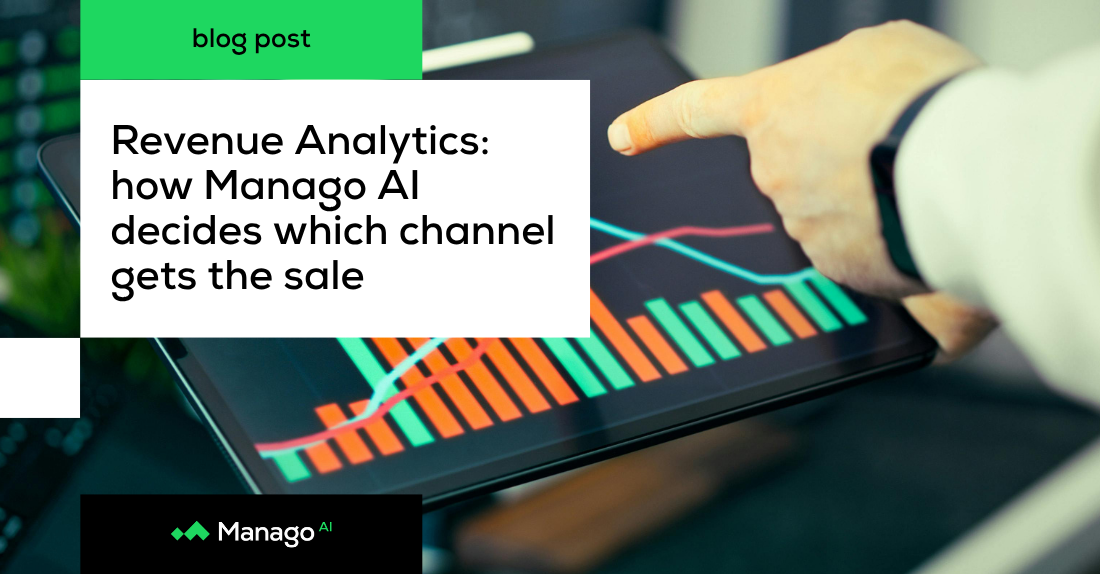
Most marketing budgets are divided by channel, and every division rests on an assumption about which channel actually earns its share of revenue.
Email, SMS, paid social and on-site tools all reach the same customers, often within the same week, and each can make a plausible case for the sale. Ad platforms count conversions by their own rules: Google Ads credits a purchase for up to 30 days after an ad click by default, and Meta for seven days after a click or one day after an ad view. Each counts the order independently of the others, so added together the reported conversions can exceed what the store actually sold.
Budget discussions then turn into a debate about whose dashboard to believe, and the channels that genuinely drive revenue are hard to tell apart from the ones that happened to be present.
Revenue attribution resolves that with one set of rules applied to every order. In Manago AI, those rules live in Revenue Analytics, and your team decides them: the attribution model, the channels allowed to compete and how far back before a purchase each type of interaction still counts. Every order is then credited to exactly one channel or listed as unattributed, so attributed and unattributed revenue together always add up to what customers actually spent.
The sections below explain how the rules work, how to configure them and how to read the results once your data has been recalculated.
For today, the starting point is simple. Manago AI uses last-touchpoint attribution, which means the full value of a purchase goes to the single most recent qualifying interaction before it. Revenue is never split between channels. (Spoiler alert - soon our customers will be able to use more attribution models - so stay tuned.)
An interaction qualifies when its channel or interaction type is enabled in Attribution Setup and it happened inside the attribution window configured for that interaction. Each purchase is evaluated on its own, so one touchpoint can win several orders. If the same email click was the last qualifying interaction before two separate purchases by one contact, the email receives credit for both. When nothing qualifies, the purchase is labelled Unattributed and remains visible on the dashboard without being assigned to a channel.
Which interactions are allowed to compete in the first place depends on the model you choose.
Revenue Analytics offers two attribution models, each configured separately and switchable on the dashboard at any time.
Last Click considers off-site interactions only: email, SMS, WhatsApp, web push, mobile push, external ads (Google, Facebook, Instagram, TikTok, LinkedIn), organic traffic and direct traffic. It suits teams that want to evaluate outbound channels without on-site tools influencing the result, as well as accounts that do not actively use Manago AI pop-ups and forms.
Last Click Enhanced adds on-site interactions: pop-ups, forms, recommendation frames and Manago AI landing pages. It suits teams that actively use these tools and want to see their contribution to sales. On-site interactions are usually the last thing a visitor sees before buying, so they can take a large share of attributed revenue.
Many teams run both models in parallel for that reason, comparing the contribution of on-site tools with that of outbound channels and external ads.
The model settles which channels can compete. How long each interaction stays in the running is a separate decision, made through attribution windows.
An attribution window is the maximum time before a purchase during which an interaction can still win. If the window for Email Opened is 7 days and a contact opened an email 10 days before buying, that open does not qualify. With a 14-day window, it would.
Windows are set per interaction type because signals vary in strength and buying cycles vary by category. A furniture retailer and a cosmetics brand see very different purchase behaviour, and a single lookback period would misrepresent at least one of them. A common approach is to give weaker signals such as Email Opened a shorter window (7 days, for example), strong intent signals such as Email Clicked a longer one (around 30 days), and immediate-action channels such as SMS Sent a very short one (2–3 days).
Direct traffic is the exception. It always uses a fixed one-hour window, whatever your other settings, so a direct visit can only win when it happens shortly before the purchase. This keeps it from taking credit away from an interaction that brought the customer in days earlier.
Both decisions, the model and the windows, are made on the same screen.
Attribution Setup sits under Analytics → Revenue → Setup. Settings are saved per model, so Last Click and Last Click Enhanced can follow different rules. Here you can:
switch whole channels or individual interaction types on and off, for example keeping SMS clicks while excluding SMS Sent,
set the attribution window for each interaction type,
exclude transactional emails, so order confirmations do not compete with marketing campaigns,
filter bot clicks out of email attribution.
Organic traffic also includes visits from AI search tools such as ChatGPT and Perplexity.
A preview at the bottom of the screen runs sample purchase paths through your current settings. For each interaction it shows whether it is still in the running, has expired or has been switched off, and which one wins the sale.
Once you apply your changes, Manago AI recalculates your historical sales under the new rules. Until that finishes, the dashboard may still show figures based on the previous setup. If the new configuration does not work for you, you can restore the previous version or return to the default settings.
Here is how that plays out for a single order under both models.
Take one order and the interactions recorded before it. The configuration uses a 7-day window for Email Opened and a 30-day window for Google Ads clicks, with pop-ups enabled in Last Click Enhanced:
9 days before the purchase, the contact opens a campaign email.
3 days before, they click a Google Ads ad.
2 hours before, they return to the site directly.
10 minutes before, they sign up through an on-site pop-up and go on to complete the order.
Under Last Click, the email open has expired, at 9 days against a 7-day window. The direct visit has expired as well, because it falls outside the fixed one-hour window, and the pop-up does not count in this model. That leaves the Google Ads click as the most recent qualifying interaction, so it receives 100% of the order value. Under Last Click Enhanced, the same order goes to the pop-up, which qualifies and comes last.
Both results are correct for the question each model asks. Last Click shows which off-site channel brought the customer back, while Last Click Enhanced shows the contribution of on-site tools just before checkout but also it can display a contribution of external channels. If you extended the Email Opened window to 14 days, the open would become eligible, though it would still lose to the more recent ad click.
On the dashboard, this same logic runs across every order in the period you select.
The dashboard opens with three headline figures: total sales, sales attributed to Manago AI channels and average order value, each split between new and returning customers. Below them, a chart and a channel table show how that revenue breaks down over time and by channel, down to sub-channels such as email mass campaigns and automations. You can switch between attribution models at any point, and every figure updates accordingly.
Keep an eye on the Unattributed figure as well. Purchases end up there for one of two reasons: none of the contact’s interactions fell inside your windows, or there was nothing to track, as with contacts imported through API without event history. If the share is high, start by checking that the right channels and windows are enabled and that your contacts can be identified.
Once the dashboard becomes part of regular reporting, someone will usually put it next to Google Analytics 4 and ask why the numbers differ.
Channel totals will differ even when both tools are set to last click, and three reasons account for most of the gap.
The first is the lookback window. GA4 applies one window across the whole property, 90 days by default for purchase events, while Revenue Analytics uses a separate window for each interaction type. An email clicked ten days before a purchase can be expired here under a 7-day window and still credited in GA4.
The second is direct traffic. GA4’s last click model ignores direct visits and goes back to the last non-direct source. Revenue Analytics counts direct traffic within its one-hour window, so the same order may be credited differently.
The third is the model itself. GA4’s default reports use data-driven attribution, so a comparison with default GA4 is often a comparison between two different models.
Tracking methods add to the difference. Manago AI tracks email, SMS and web push server-side through link redirects, while external ads and organic traffic are recorded by the on-site script using UTM parameters. Email tracking rules play a part as well. Contacts in France and Italy can decline email tracking, covering both the open pixel and click tracking, so contacts who do so leave gaps in email attribution for that part of the database.
The budget debate described at the start rarely ends because one dashboard proves another wrong. It ends when everyone works from the same rules and can see how they were applied.
Revenue Analytics gives every attributed order a traceable origin. Each purchase is evaluated against rules your team chose, the preview shows how those rules play out on sample purchase paths, and any change is applied to your history as well. When someone asks why email took the credit, the answer lies in the windows and channel settings your team chose, and the preview shows how they work in practice.
No. Both models assign 100% of a purchase’s value to the single most recent qualifying interaction. If no interaction qualifies, the purchase is marked Unattributed and stays visible on the dashboard.
Use Last Click to evaluate outbound channels without on-site tools influencing the result. Use Last Click Enhanced if you actively run pop-ups, forms, recommendation frames or Manago AI landing pages and want to see their contribution to sales. Many teams compare the two side by side, since each is configured separately.
Once you apply a new configuration, historical sales are recalculated under the new rules. The dashboard shows RECALCULATING... while this runs, and figures may reflect the previous configuration until it finishes. To go back to the configuration saved before your latest change, use Restore previous version.
The fixed window stops a direct visit from claiming a purchase that followed another channel’s interaction much earlier. A direct visit can still win, but only when it happens within an hour of the purchase.


This happens all the time. At some point, most marketing automation programmes you've built reach a stage where nothing is broken, but something still feels off. The flows fire on time, the dashboards look healthy and automated revenue keeps edging up, yet if you read a week of your own messages back in order, across email, SMS and web push, they sound like a sy...
Read more
Erickson worked with Manago AI on purchase-history segmentation, dynamic product recommendations and a flagship automation workflow for its most engaged professional readers.
Read more
How Fabryka e-biznesu combined automated lead handling with expert-led newsletters and increased CTR by 171% with Manago AI.
Read more