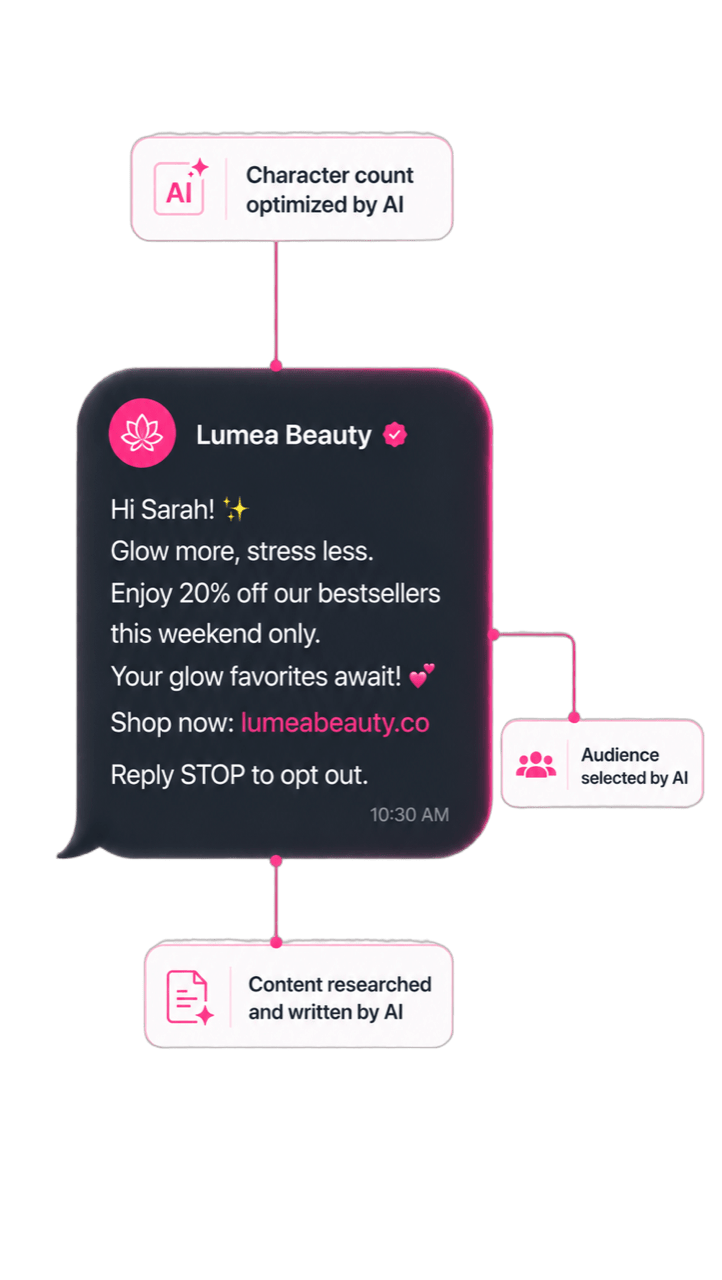
AI MCP

Where AI conversations become marketing actions

Analyse your data, build campaigns, and send, all from inside the AI tool your team already works in. No switching. No exporting. No context lost.

Get a Demo


Ask your data like you ask a teammate

Get answers about contacts, campaigns, revenue, and performance from a plain-language question, directly inside your AI workspace.


Run Analytics

  • Ask analytical questions in your language of choice.
  • Get charts, tables, numbers, and summaries back in your AI workspace.
  • Analyse live contact, campaign, and behavioural data without exports.
  • Run analysis securely inside Manago AI, with no customer data leaving the platform.
Run analytics from a plain-language question

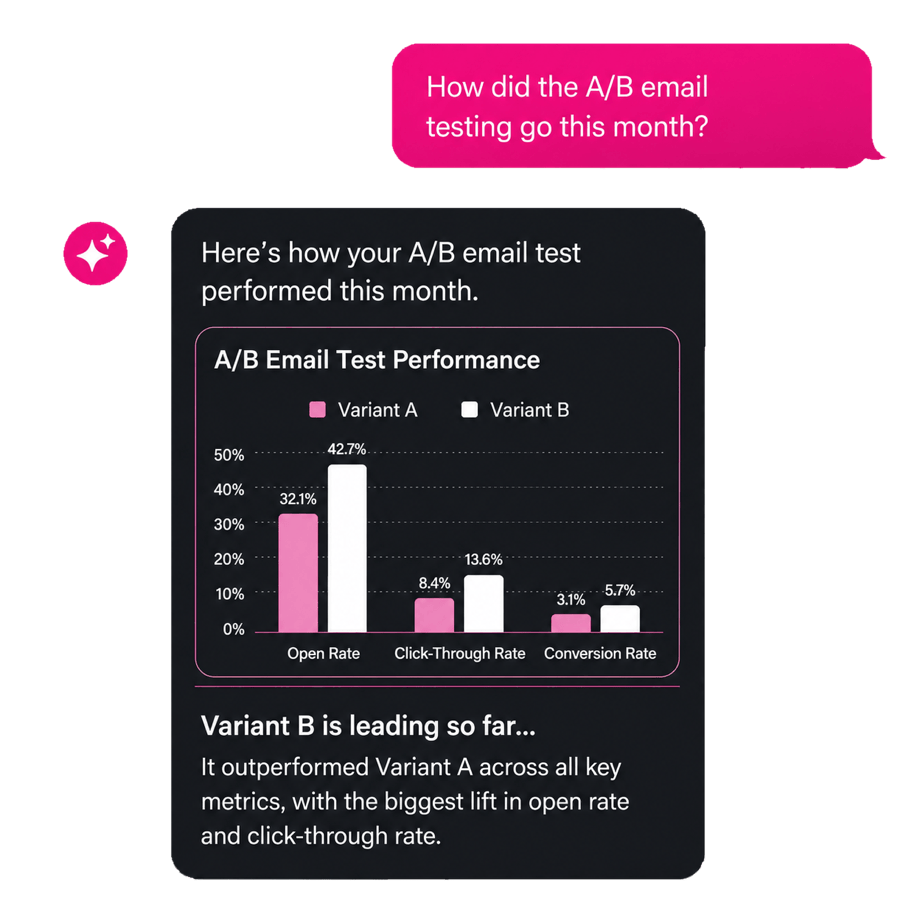
Campaign Performance

  • Ask questions about any live campaign or automation.
  • Get answers with context, comparisons, and clear takeaways.
  • Drill into channels, segments, or time periods through follow-up questions.
  • Go from “What changed?” to “What next?” in the same conversation.
Ask about live campaign performance

Work where ideas happen. Launch from there

Most teams switch between their AI tools and marketing platform multiple times a day. Manago AI MCP connects them so your team never has to.
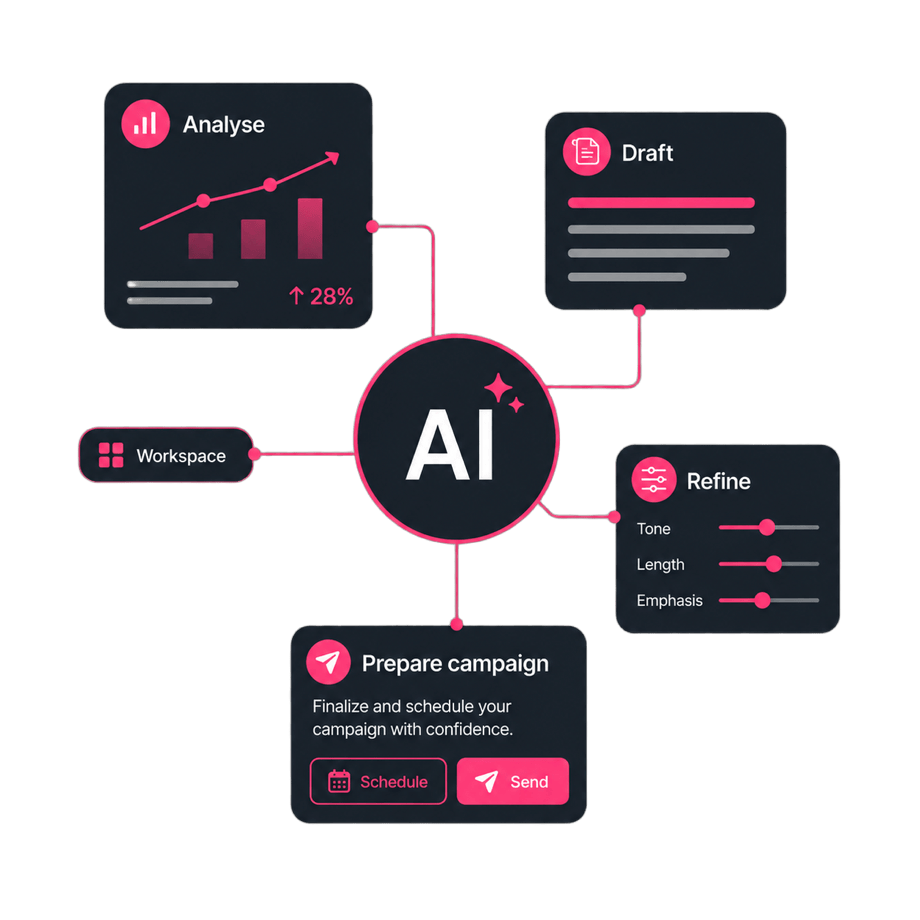
Stay in flow inside your AI workspace

Stay In Flow

Marketing teams no longer need to move between AI tools, dashboards, and campaign builders to get work done. Analyse, draft, refine, and prepare campaigns from the workspace where the idea started.
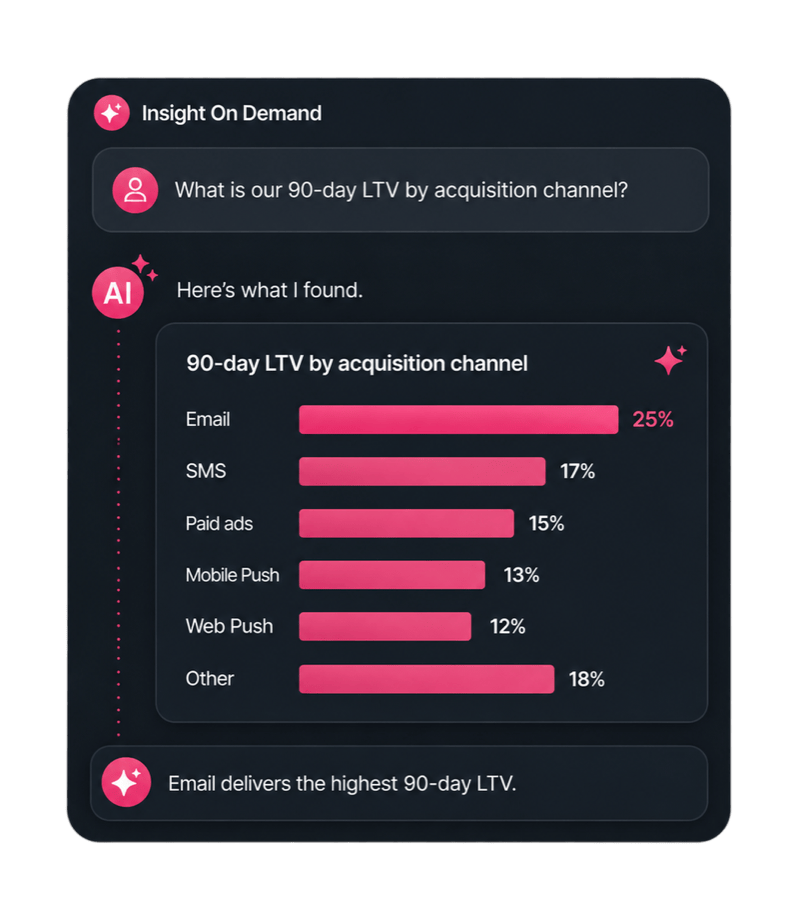
Insight on demand from your AI tool

Insight On Demand

Ask “What is our 90-day LTV by acquisition channel?” from inside your AI tool. Get a chart back in seconds. No analyst required, no waiting.
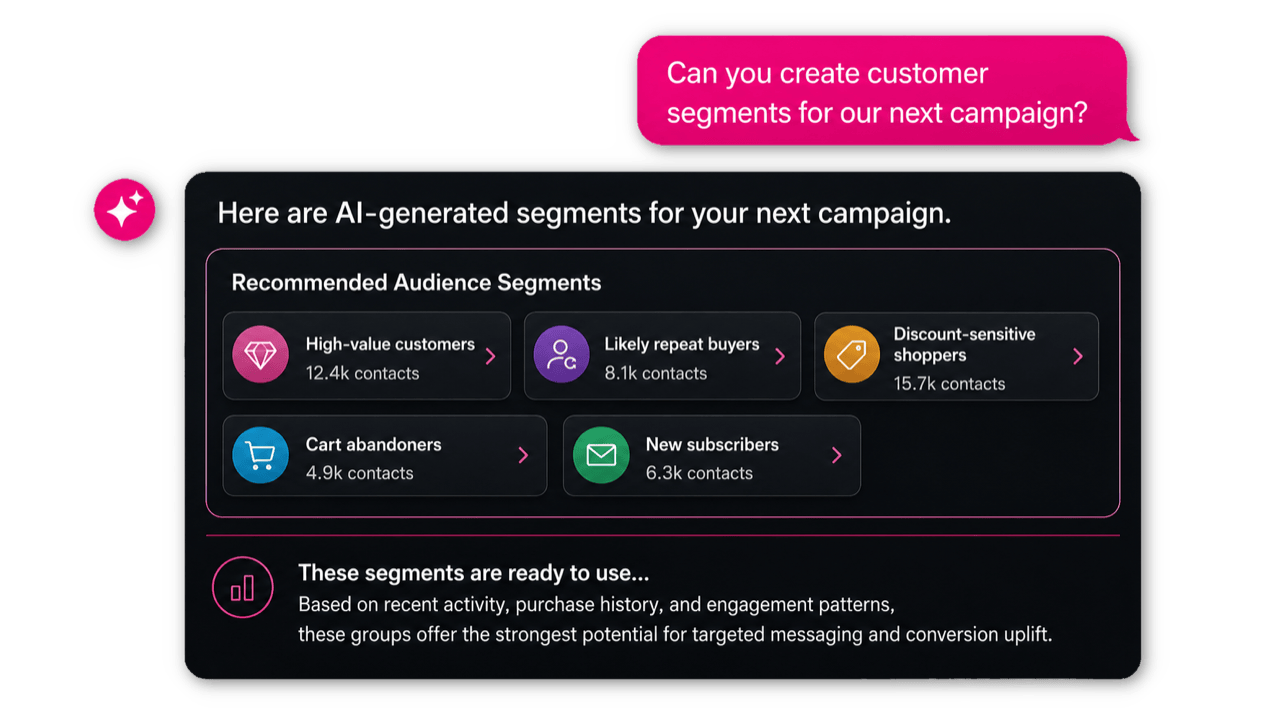
Turn ideas into campaigns

Ideas Into Campaigns

An idea can become a drafted, audience-targeted, ready-to-review campaign in the same conversation. MCP shortens the distance between thinking, planning, and execution.

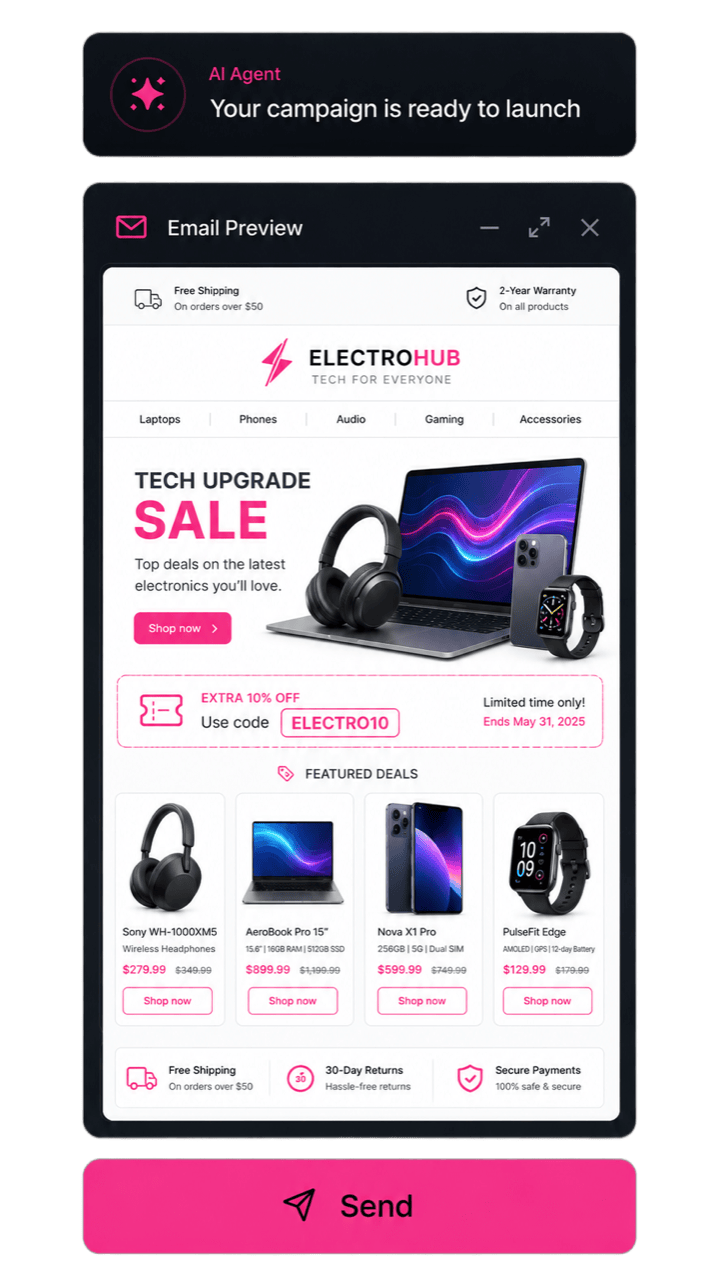
Launch campaigns without leaving your AI workspace

Create email and SMS campaigns from inside any MCP-compatible workspace, with audience, content, timing, and approval flow included.

Build Sequences

  • Build email and SMS sequences from a conversational brief.
  • Set follow-up logic, exclusions, timing, and channel flow.
  • Preview the full sequence before approval.
  • Send only after your team reviews and confirms.

Test Variants

  • Generate test-ready variants from a campaign hypothesis.
  • Prepare audience splits, success metrics, and send logic automatically.
  • Review and edit every variant before launch.

Guide: Connecting Claude

Step 1: Access MCP Settings
  1. Open Claude and navigate to your account settings.
  2. Look for “Connectors” in the settings menu.
  3. Click on “Add Custom Connector”.
Step 2: Configure the Manago AI Connector
  1. Enter Server Details:

    • Name: Enter “Manago AI” or your preferred identifier.
    • Server URL: Input the Manago AI MCP server endpoint URL: https://mcp.manago.ai/mcp.
  2. Save Configuration: Click “Add” to proceed.
Step 3: Complete OAuth Authentication
  1. Claude will redirect you to Manago AI’s login page.
  2. Enter your Manago AI credentials: username and password.
  3. Review and approve the permissions that Claude is requesting.
  4. You’ll be redirected back to Claude with a confirmation of successful connection.
Step 4: Verify Connection
  1. Return to your connectors settings to confirm the Manago AI connector is visible and there is no “Disconnected” label.
  2. Start a new chat and click on the tools menu. You should see Manago AI MCP server.
  3. Test the integration by asking Claude a simple question about your Manago AI data. If successful, you should see Claude accessing your Manago AI information.

Turn audience understanding into action

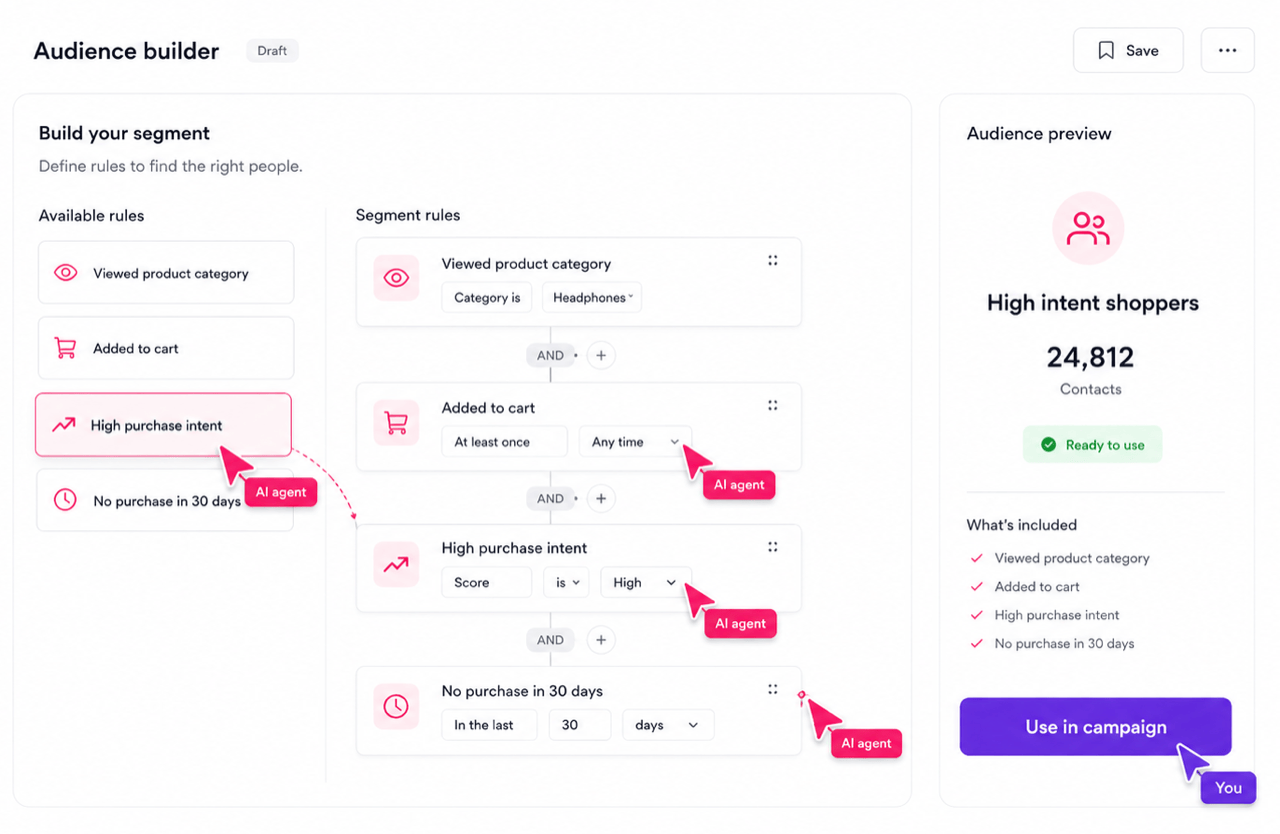
Create segments, explore contact data, and activate campaigns from natural-language prompts in the AI workspace your team already uses.
Build Audiences

  • Build segments from any MCP-compatible AI workspace.
  • Use segments immediately in campaigns, exports, or deeper analysis.
  • Refine audiences through follow-up prompts.
Build audiences from natural-language prompts

Query Contacts

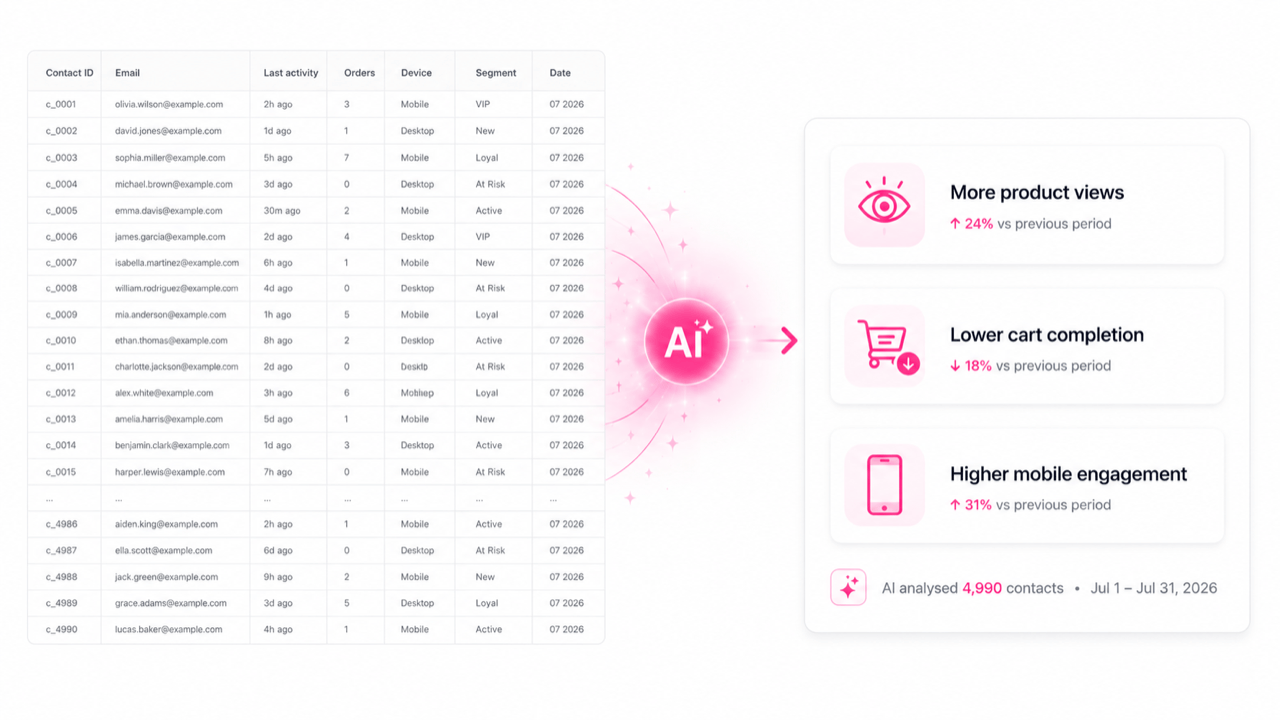
  • Ask your AI assistant questions about your contact base in plain language.
  • Get synthesised insights instead of raw exports.
  • Drill into behaviours, segments, and time periods.
Query your contact base in plain language

MCP FAQs

What is the Manago AI MCP Server?

MCP, or Model Context Protocol, is an open standard that connects AI assistants to external tools and platforms. Manago AI MCP Server lets your team analyse data, draft campaigns, build audiences, and send messages from inside MCP-compatible AI workspaces such as Claude Desktop, ChatGPT, Cursor, and others.

Which AI tools does the MCP Server support?

The Manago AI MCP works with tools that support the Model Context Protocol, including Claude Desktop, ChatGPT where MCP is supported, Cursor, and other compatible assistants and development environments.

Does my data leave the Manago AI platform?

No. Analysis runs in a secure sandbox connected to your live data inside Manago AI. Charts, tables, and insights are returned to your AI workspace, but customer data is not exported to a third-party model.

Can I send real campaigns through MCP, or only draft them?

Both. Your team can draft, preview, and send campaigns through the AI workspace. Every campaign includes a clear approval step before anything ships. Manago AI remains the system of record, while the AI workspace becomes the entry point.

How is MCP different from the agentic AI inside the Manago AI UI?

Agentic AI works inside the Manago AI platform. MCP works inside the AI assistant or workspace your team already uses. The capability is connected to the same platform, but the entry point is different. Many teams use both.

Do I need a developer to set up MCP?

MCP requires an easy and seamless, one-time configuration to connect your AI workspace with your Manago AI environment. After setup, marketing teams can use natural-language prompts for day-to-day analysis, campaign creation, audience building, and activation.

Is MCP available on all Manago AI plans?

Availability and pricing are listed on the Manago AI pricing page. For plan-specific details, contact the Manago AI team.

How does Manago AI MCP handle GDPR and data security?

Manago AI MCP runs within Manago AI’s EU-hosted, GDPR-native infrastructure. Code executes in a sandboxed environment, access is authenticated and auditable, and customer data is not transferred outside the platform for model processing.
Now it’s your turn

Get a Demo

All together. Better.

Leadoo AI, Manago AI and Thulium AI are one seamlessly integrated family.

The #1 conversion platform for turning website visitors into active leads with its conversational marketing tools.

Learn More

Engage, convert and retain your customers with Europe's only AI Customer Data and Engagement Platform built for eCommerce.

Get a demo

Thulium is an omnichannel contact centre system for eCommerce & B2B support that unifies all your customer support.

Learn More